

Runway currently supports connecting to only one HRIS account at a time. For multi-entity setup across systems, see Multi-entity integrations.
Connecting to Deel
Follow these steps to integrate Deel with Runway and automatically sync your HR data: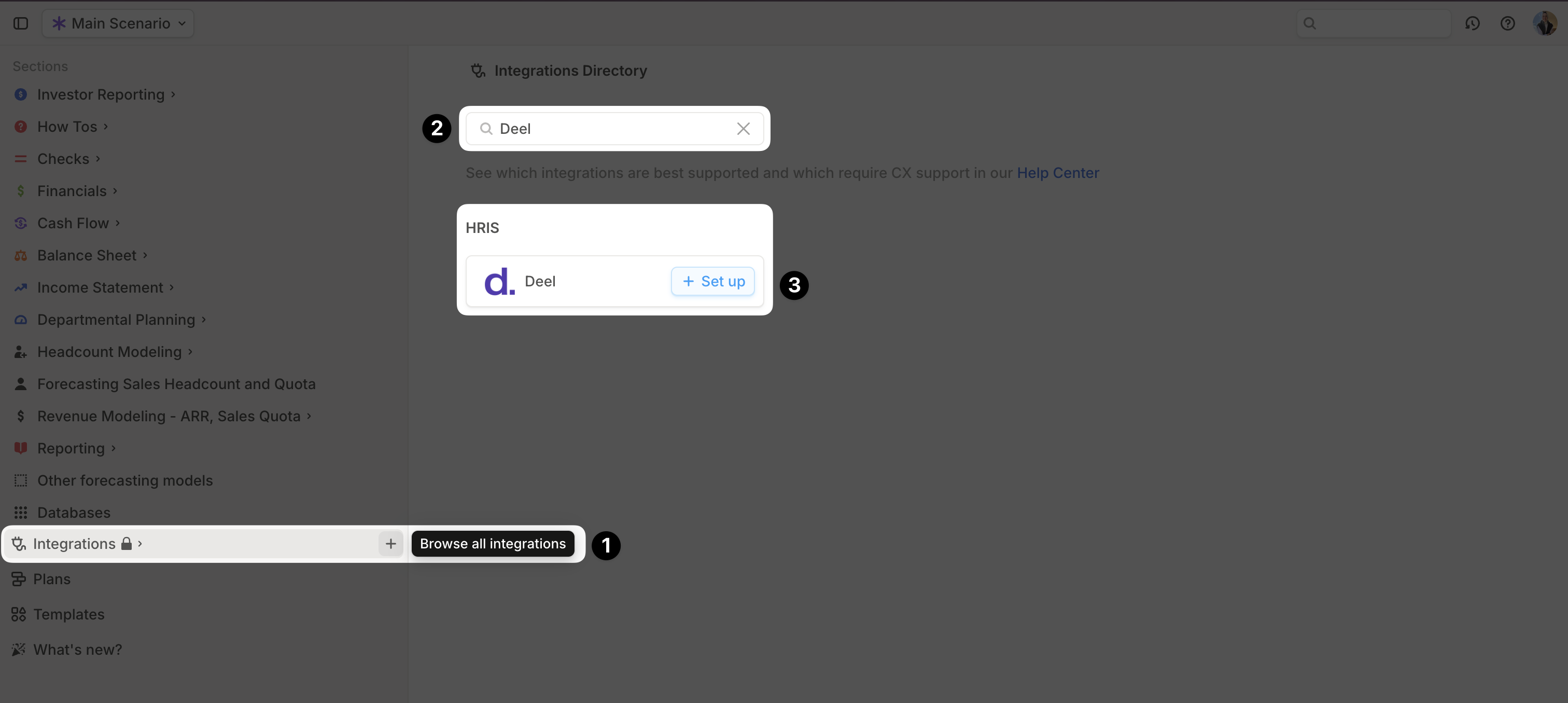
- Open your Runway instance.
- In the sidebar, hover over Integrations and click the + button to open the Integrations Directory.
- Search for Deel and click + Set up under the HRIS option.
-
Choose your authentication method:
- Use my credentials (recommended) – Follow the prompts to be redirected to Deel’s website and complete authentication.
- Use my API key or access token – Follow the onscreen instructions to generate an API key.
- Once authentication is complete, a confirmation message will appear, and the initial sync will begin automatically.
- When the sync is finished, a new Employee database will appear in your Runway sidebar, containing the imported data.
Deel supported data
Runway automatically imports the following data from Deel.Deel FAQs
Is there a difference between the two authentication methods?
Is there a difference between the two authentication methods?
Only in how they verify your identity. Both methods provide a complete sync of the data listed above.
Does Runway write data back to Deel?
Does Runway write data back to Deel?
No, Runway supports read-only integrations. No data is written back to Deel.
Does the Deel integration send only base salary values or fully-loaded employee costs?
Does the Deel integration send only base salary values or fully-loaded employee costs?
Runway currently only syncs base salary values for each employee.
Can I connect additional HRIS sources?
Can I connect additional HRIS sources?
Runway supports only one active HRIS connection at a time. For the current multi-entity limitation, see Multi-entity integrations.